

How to Choose the Right Phone Case for Your Smartphone

How to Choose the Right Phone Case for Your Smartphone
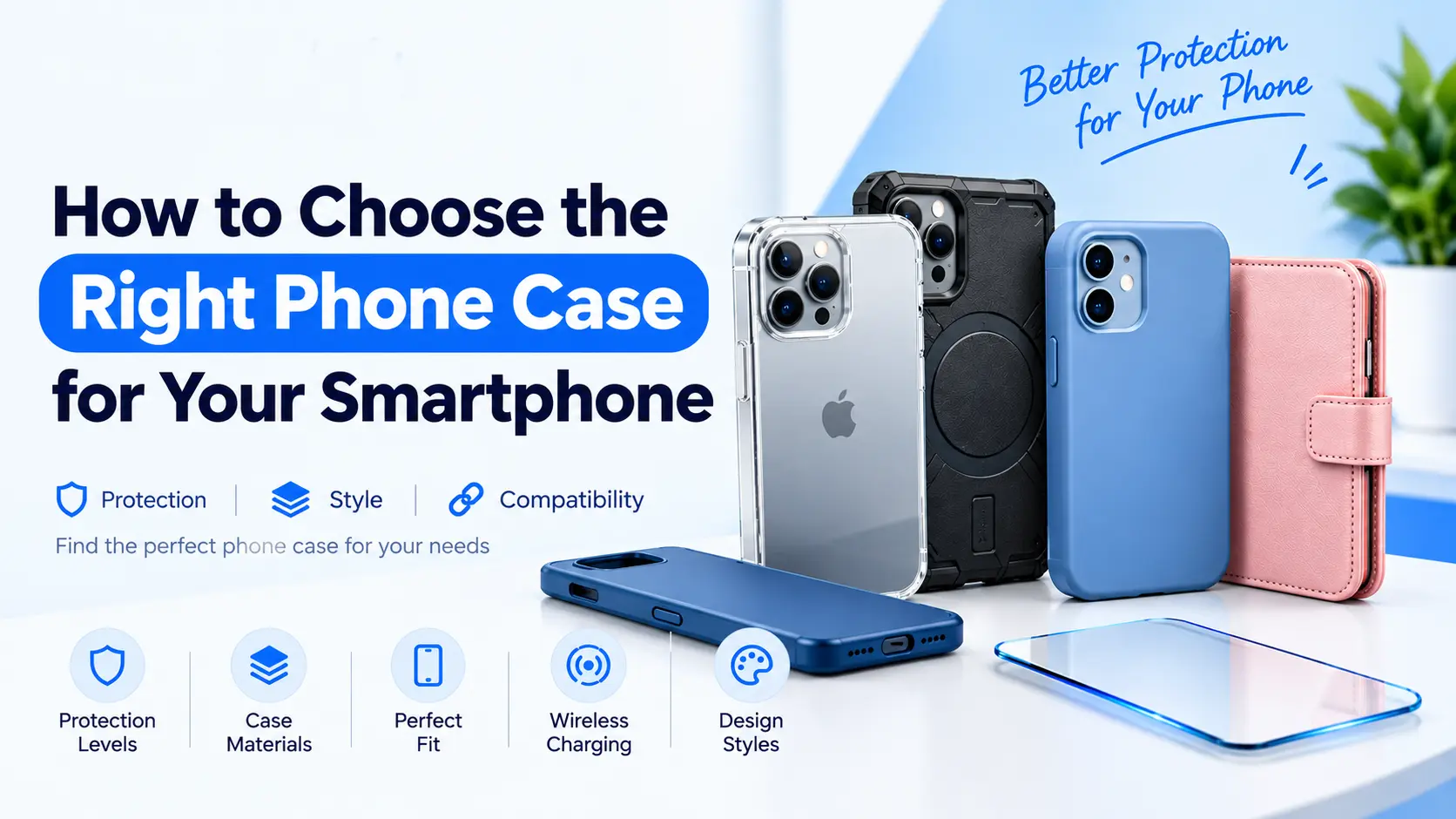
A phone case is one of the simplest ways to personalise your smartphone and help protect it from everyday scratches, scuffs and accidental knocks. However, with so many designs, materials and protection levels available, choosing the right one can be confusing.
The best phone case is not necessarily the thickest or most expensive. It is the one that fits your exact phone model, provides the protection you need and feels comfortable to use every day.
In this guide, we explain how to choose a phone case by comparing materials, protection, design, camera coverage and wireless charging compatibility. Whether you use an iPhone, Samsung Galaxy or another compatible smartphone, these practical tips will help you make a more informed choice.
1. Check Your Exact Phone Model First
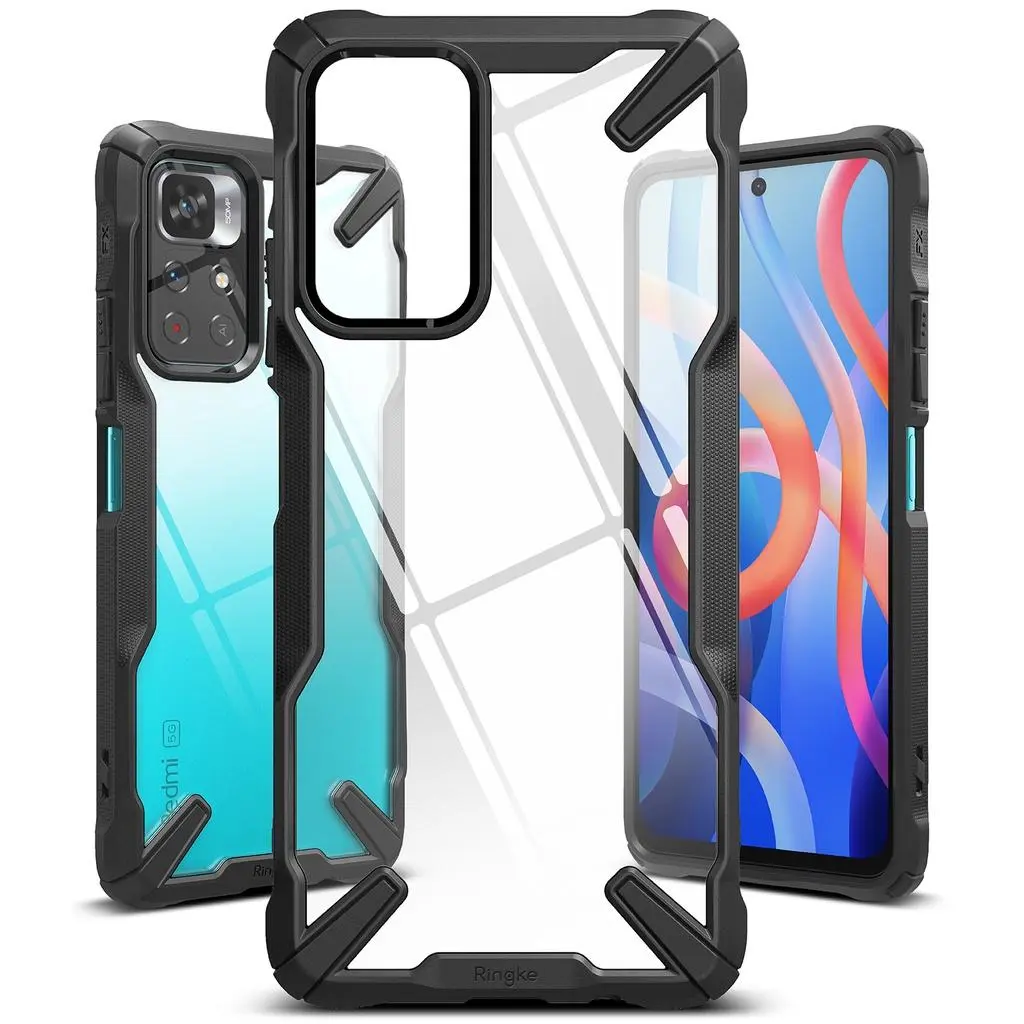
Before buying a phone case, confirm the exact model of your smartphone. Cases that look similar can have different dimensions, button positions and camera cut outs.
For example, a standard phone model and its Pro or Plus version may require different cases, even if they belong to the same product range.
Check the following before ordering:
The phone’s exact brand and model.
The size and position of the rear camera module.
The location of the charging port, speakers and buttons.
Whether the case is listed as compatible with your particular device.
Do not rely on the phone’s brand alone. A case designed for the wrong model may cover a camera, block a button or fit too loosely.
Tip: Check your phone’s settings or original packaging if you are unsure of the model name. Always read the compatibility details on the product page before purchasing.
2. Choose the Right Level of Protection
Different phone cases offer different levels of protection. Think about where you use your phone, how often you carry it and how likely it is to be dropped.
Slim cases for everyday use
Slim cases are lightweight and add minimal bulk. They are suitable for people who want a simple design, improved grip and some protection against everyday scratches.
However, a thin case may provide less cushioning during a significant fall than a well-designed protective case.
Shock absorbing cases
Shock-absorbing cases often use flexible materials and reinforced corners to help cushion impacts. They can be a practical choice for commuters, students and people who use their phones throughout the day.
Look for a secure fit, covered edges and clearly described protective features. Do not assume that every case advertised as shockproof offers the same level of protection.
Rugged protective cases
Rugged cases are generally thicker and may combine several materials to help protect against drops and knocks. They can suit people who work outdoors or frequently use their phones in demanding environments.
The trade-off is that they may make a phone heavier or more difficult to fit into a small pocket.
Wallet and folio cases
Wallet style cases can combine phone protection with space for cards or other small essentials. Folio covers may also cover the screen when closed.
Check the closure, card storage design and compatibility with wireless charging before choosing one.
3. Compare Phone Case Materials
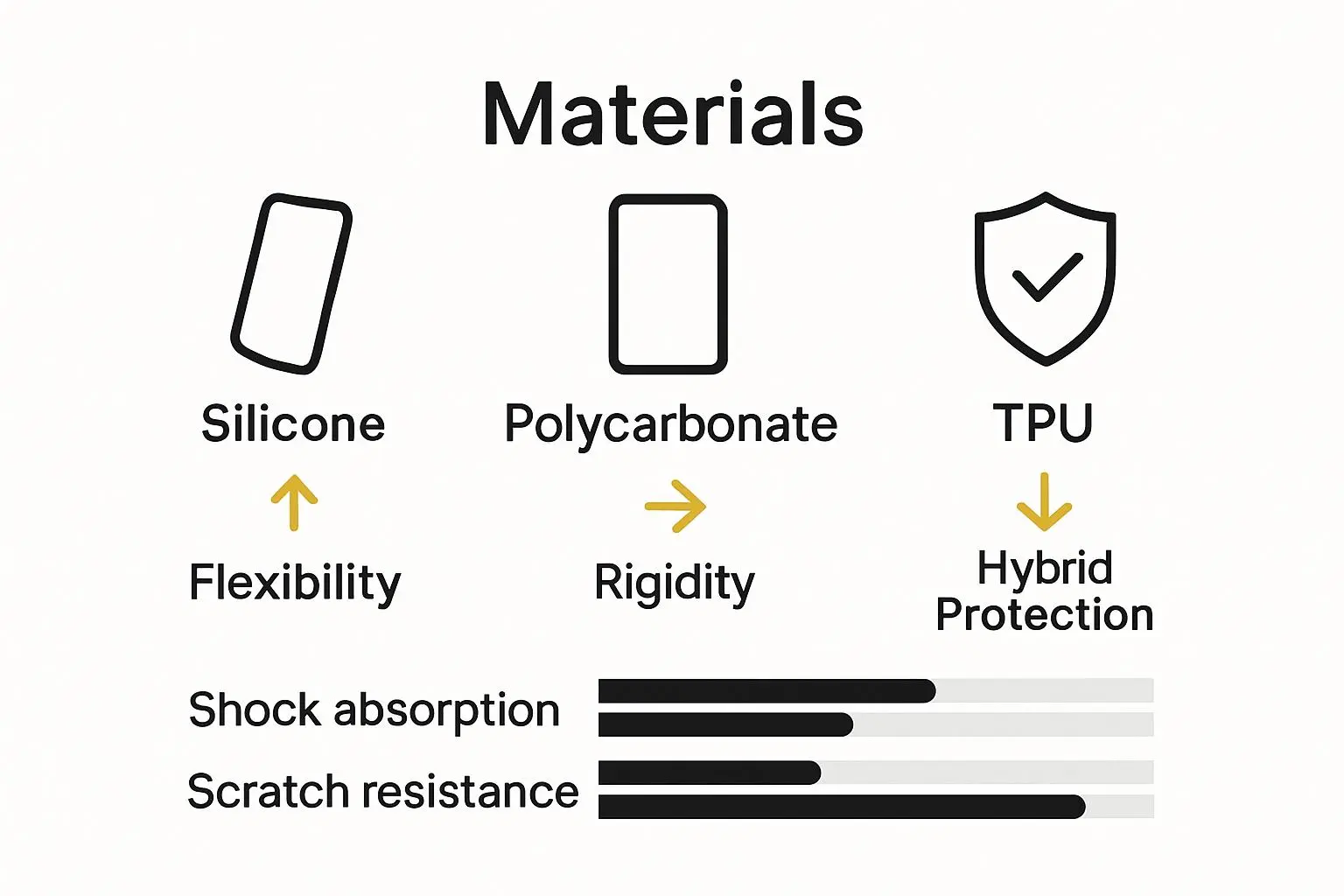
The material affects the case’s grip, flexibility, appearance and durability. Here are some common options.
Silicone
Silicone cases have a soft feel and can provide a comfortable grip. They are available in many colours and are often chosen for everyday use.
Some designs attract lint or become worn with regular use, so check the finish and construction.
TPU
Thermoplastic polyurethane, or TPU, is a flexible material commonly used in phone cases. It can combine a secure fit with some impact cushioning.
The quality of the material and the case’s design both matter. A TPU label alone does not guarantee a particular level of drop protection.
Polycarbonate and hard plastic
Rigid materials such as polycarbonate help a case retain its shape and can provide a smooth surface for clear or printed designs.
A rigid shell may work well as part of a combined design with a softer inner bumper. Protection depends on the overall construction, not simply the material name.
Leather style and decorative finishes
Leather style, textured and printed cases offer different looks and finishes. They may suit users who care about appearance as much as practicality.
Check the actual material description rather than assuming that a leather style finish is genuine leather. Also consider how easily the surface can be cleaned and whether it provides enough grip.
Quick tip: Choose a case based on its fit and construction first, then select the material and design you prefer.
4. Check Screen and Camera Protection
Your phone’s screen and camera area can be vulnerable when the device is placed on a hard surface or dropped.
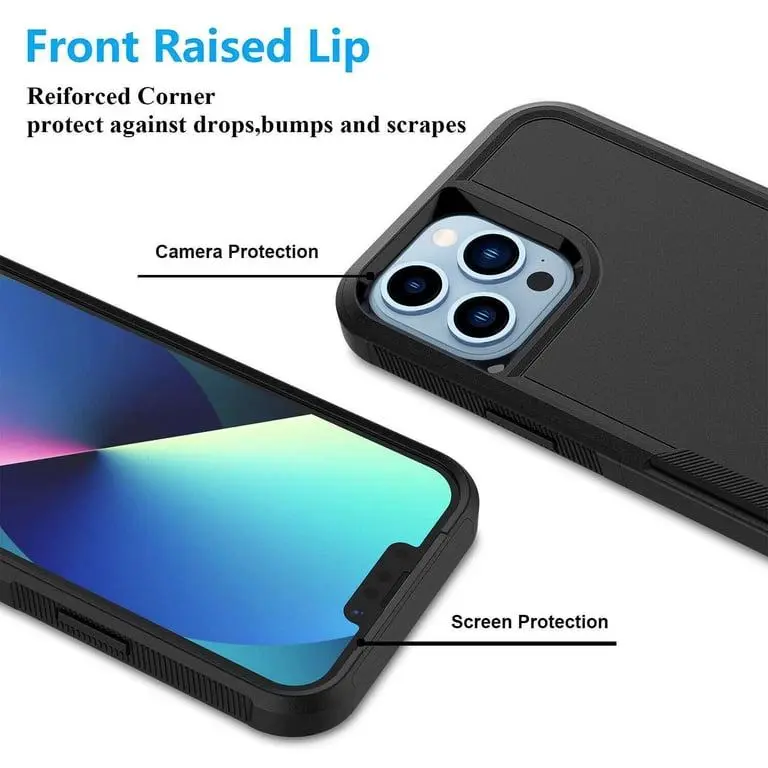
Some cases have raised edges around the display and camera module. These raised edges can help keep the glass away from flat surfaces, although they cannot prevent every type of damage.
Before buying, check whether the case offers:
A raised lip around the screen.
A raised edge around the camera lenses.
Reinforced corners or cushioning, where needed.
A fit that does not interfere with camera use.
Enough clearance for your screen protector.
A phone case protects the areas it covers. It does not automatically protect the entire display, so you may also want a compatible screen protector.
Explore the Phone Accessories collection to find relevant accessories for your device.
5. Make Sure the Case Supports Wireless Charging
If you use wireless charging, check that your chosen phone case is compatible with your phone and charger.
Some thin cases work well with wireless charging, while cases containing metal parts, certain card holders or thick constructions may interfere with charging.
If you use Apple’s MagSafe accessories, look for a case explicitly described as MagSafe-compatible when magnetic attachment is important to you. For other phones, check the manufacturer’s stated wireless-charging compatibility.
Before buying, consider these questions:
Does the case support your phone’s charging method?
Are magnetic accessories important to you?
Does the case have a built-in stand, wallet or metal component?
Can you use your existing charger with the case fitted?
Never assume that every magnetic case supports every magnetic accessory. Check the product specifications for the features you need.
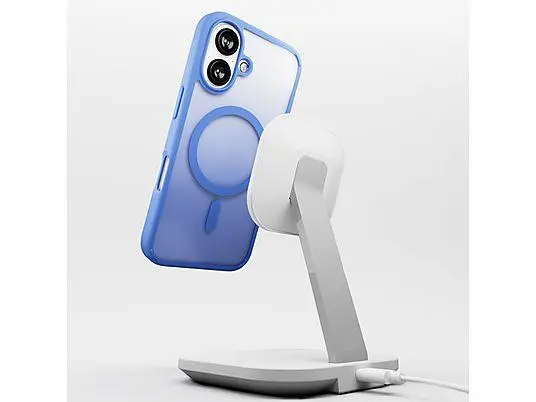
6. Decide Between Clear, Colourful and Minimal Designs
Your phone case is also an everyday accessory, so choose a design you will be happy to use.
Clear cases: Useful if you want to show the original phone colour. Some clear materials may become discoloured over time.
Colourful cases: Offer a simple way to personalise your device and make it easier to distinguish from other phones.
Minimal cases: Keep the appearance simple and may add less bulk.
Textured cases: Can provide a more secure feel in your hand, depending on the surface.
Wallet cases: Combine a cover with storage for cards, but may add thickness.
Think about your daily routine. A lightweight case may be convenient for travel, while a more protective design could be preferable if you regularly use your phone outdoors.
7. Should You Buy a Phone Case and Screen Protector Together?
A phone case and a screen protector serve different purposes. The case covers the phone’s body and edges, while a screen protector adds a layer over the display.
Using both can provide broader everyday protection, but compatibility matters. Some cases have tight edges that lift a screen protector or cause it to come away at the corners.
Before choosing a combination, check:
That the case fits your exact phone model.
That the screen protector matches the display dimensions.
That the case does not press against the protector’s edges.
That the protector does not interfere with touch sensitivity or the front camera.
You can browse the Phone Accessories collection for compatible accessories and check each product’s specifications before ordering.
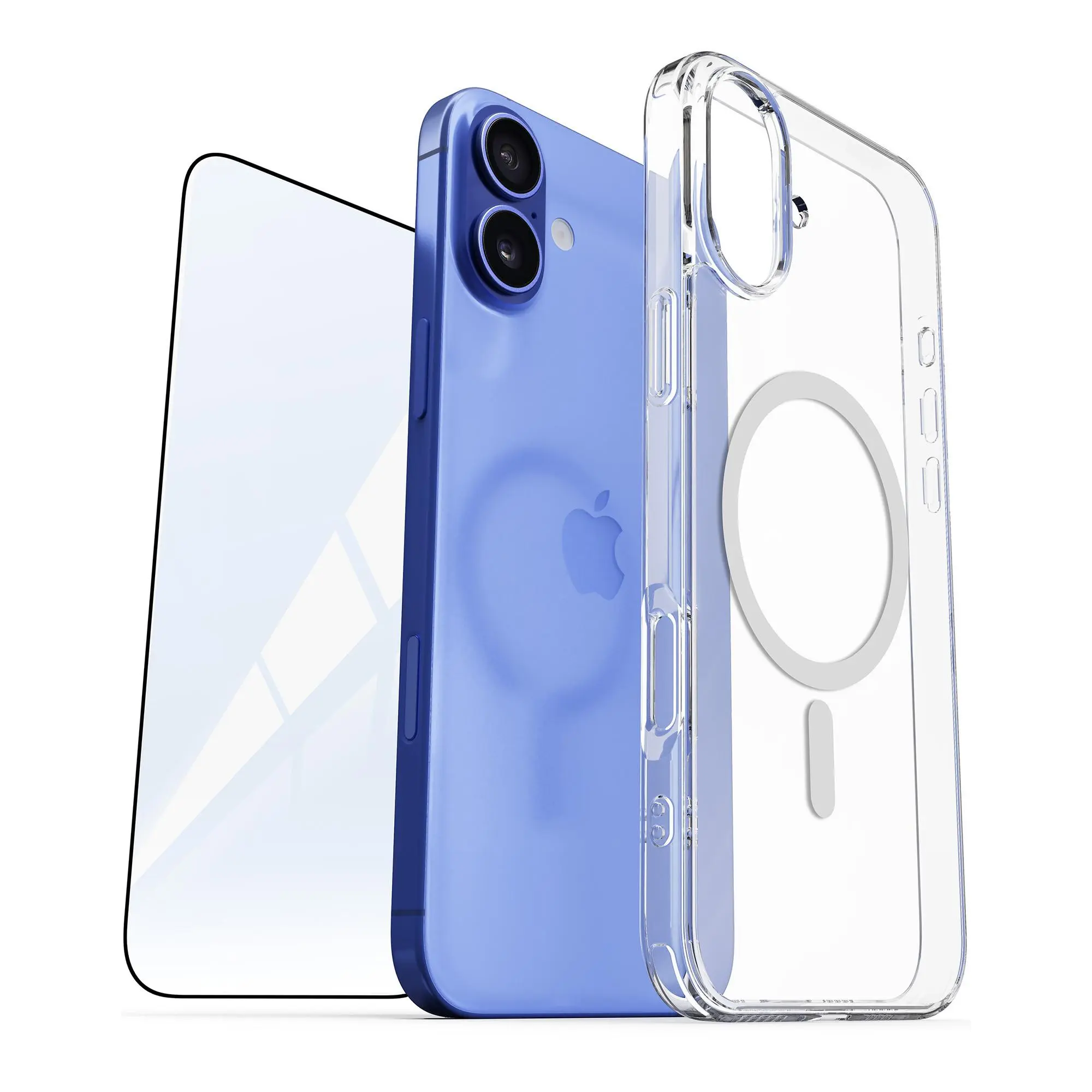
8. Avoid These Common Phone Case Buying Mistakes
A few simple checks can help you avoid buying the wrong accessory.
Choosing by appearance alone: A stylish case may not provide the protection you need. Review its construction and features.
Ignoring the exact model: Similar phone names do not guarantee identical dimensions or camera layouts.
Assuming thicker always means safer: The design, fit, cushioning and raised edges also affect protection.
Overlooking wireless charging: Certain case designs and materials can interfere with your charging setup.
Expecting a case to prevent all damage: No case can guarantee that a phone will remain undamaged after every fall.
Forgetting about the screen protector: Confirm that the case and protector are designed to fit together.
Not checking the product description: Review the compatibility information, included items and listed features before you place an order.
9. Phone Case Buying Checklist
Use this quick checklist before choosing your next phone case:
Confirm the exact smartphone model.
Decide how much protection you need.
Compare materials, grip and overall thickness.
Check the camera cut outs and raised edges.
Confirm wireless charging or magnetic accessory compatibility.
Check that your screen protector will fit.
Choose a design that suits your everyday use.
Read the product specifications before ordering.
Frequently Asked Questions
How do I choose the right phone case?
Start by confirming your exact phone model. Then compare the case’s fit, protection level, materials, grip, camera coverage and charging compatibility. Choose a design that matches how you use your phone.
Which phone case material is best?
There is no single best material for everyone. Silicone offers a soft feel, TPU is flexible, and polycarbonate provides a more rigid shell. The overall design and construction are just as important as the material.
Are shockproof phone cases worth buying?
A well-designed shock-absorbing case can help reduce the risk of damage from some everyday drops. However, protection varies between products, and no case can guarantee that a phone will not break.
Can I use a wireless charger with a phone case?
Many cases support wireless charging, but compatibility depends on the phone, case construction and charger. Check the product specifications, especially if the case has metal components, card storage or magnetic features.
Do I need a screen protector if I have a phone case?
A case and screen protector protect different areas. A case may cover the edges and back, while a screen protector covers the display. Using both can offer more complete everyday coverage, provided they fit together properly.
When should I replace my phone case?
Consider replacing a case if it becomes loose, cracked, badly stretched or damaged around the corners and edges. A worn case may no longer fit securely or provide the same level of protection.
Final Thoughts
Choosing the right phone case means balancing fit, protection, material, style and compatibility. Start with your exact phone model, decide how much protection you need and check the case’s features before choosing a design.
Whether you prefer a slim clear case, a colourful everyday cover or a more rugged option, the right choice should suit your phone and your routine.
Explore i-Tech Groups’ Phone Accessories and check the details of each product to find accessories suited to your device.