

Top Trending Tech Accessories Worth Buying in 2026
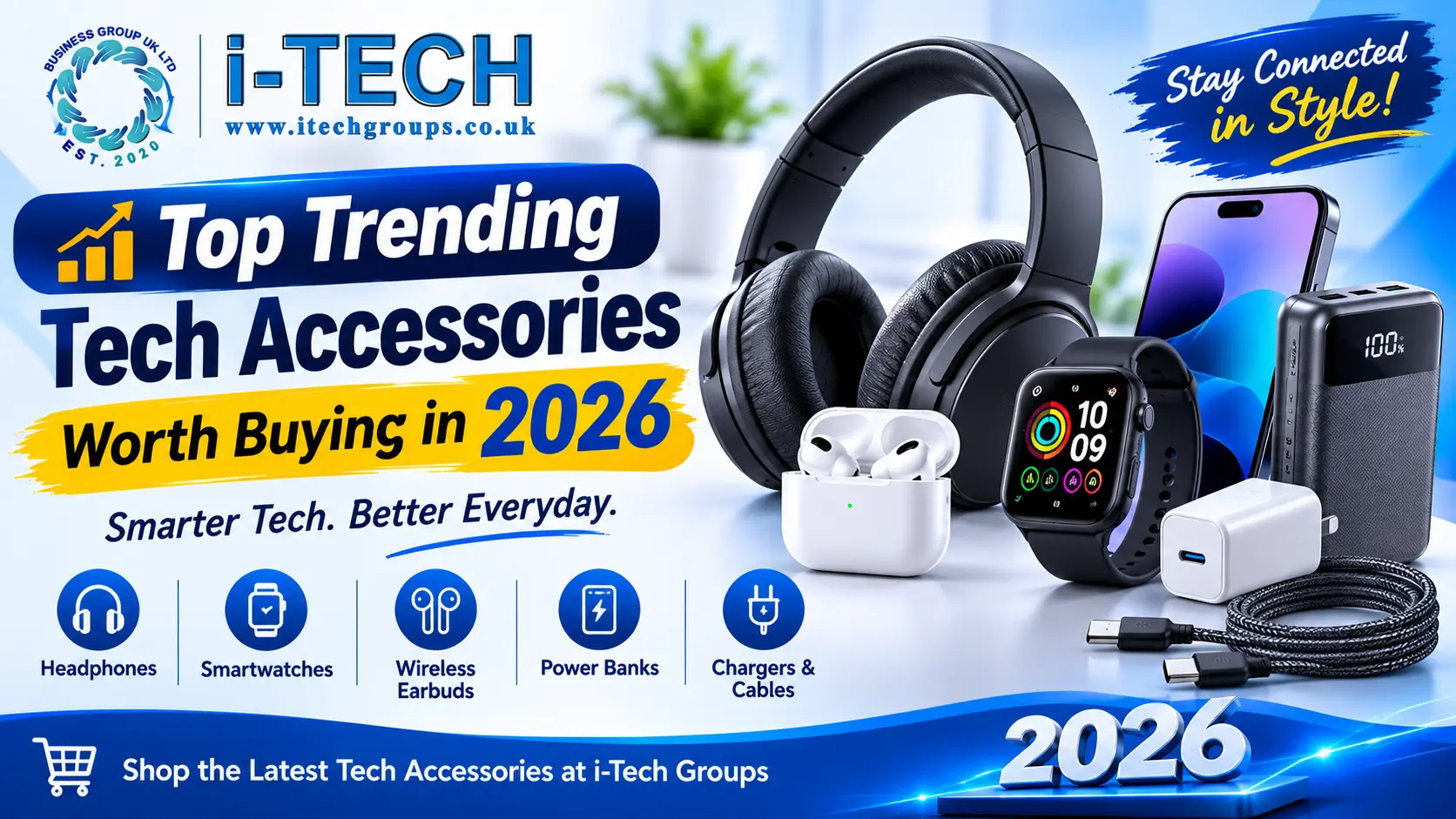
Technology has become part of almost everything we do, from working and studying to travelling, exercising and relaxing at home. The right accessories can make everyday devices more useful, convenient and enjoyable without requiring you to replace your smartphone, laptop or other expensive equipment. This guide to tech accessories 2026 explores practical products worth considering, including wireless earbuds, Bluetooth headphones, smartwatches, portable power banks, USB-C chargers and useful laptop accessories. Whether you want to improve your daily setup or find a thoughtful tech gift, these are some of the most useful trends to look out for in the UK.
Which tech accessories 2026 are worth buying?
Not every new gadget is worth the money. The best choice is usually an accessory that solves a genuine problem, works with your existing devices and offers good value over time.
Here are the categories worth considering in 2026.
1. Wireless Earbuds for Everyday Listening
Wireless earbuds remain a convenient choice for listening to music, taking calls, watching videos and enjoying podcasts. Their compact charging cases make them easy to carry in a pocket, handbag or backpack.
Modern models can offer features such as touch controls, built in microphones, different listening modes and noise reduction. Some also include active noise cancellation, which can help reduce background sounds in suitable environments.
What to look for when buying wireless earbuds:
Sound quality: Choose earbuds that offer balanced audio for your preferred music, podcasts and videos.
Battery life: Compare the listening time provided by the earbuds and their charging case.
Microphone quality: Clear microphones are useful for calls and online meetings.
Comfort: Consider the shape, fit and supplied ear tips.
Connectivity: Check Bluetooth compatibility with your smartphone, tablet or laptop.
Controls: Easy to use playback and call controls can make everyday use more convenient.
Wireless earbuds are particularly useful for commuters, students, office workers and anyone who prefers a lightweight alternative to traditional headphones.
2. Bluetooth Headphones for Better Comfort and Audio
If you spend several hours listening to music, attending online meetings or watching films, Bluetooth headphones may be a better option than small earbuds.
Over ear headphones generally have larger ear cups, while on ear designs sit directly on the ears. Both types are available in wireless versions, with different levels of comfort, sound performance and portability.
Some models also offer active noise cancellation, adjustable listening modes and foldable designs.
Important features to compare:
Comfortable padding and an adjustable headband
Battery life and charging time
Bluetooth range and device compatibility
Built in microphone performance
Active noise cancellation, if required
Foldable or lightweight construction for travelling
For students and remote workers, comfortable headphones can be a useful addition to a home study or office setup. Travellers may prefer a foldable design that fits easily into a bag.
3. Smartwatches and Fitness Wearables
Smartwatches have developed beyond simple devices for checking the time. Depending on the model, they can display notifications, track workouts, monitor selected health related measurements and provide quick access to useful smartphone features.
Fitness focused wearables can also help users review their activity and exercise progress.
When choosing a smartwatch, consider the following:
Phone compatibility: Check whether the watch works with your Android phone or iPhone.
Battery life: Compare the expected battery performance and charging method.
Display: Consider screen size, brightness and readability.
Fitness features: Look for the activity and workout modes you will actually use.
Notifications: Check which calls, messages and app alerts can be displayed.
Comfort: Choose a strap and watch size that suit your wrist.
Smartwatches are not just about appearance. Their usefulness depends on how well their features fit into your daily routine.
If you already own a smartwatch, compatible replacement straps, protective cases and charging accessories can also help keep it practical and comfortable.
4. Portable Power Banks for Charging on the Go
A portable power bank is one of the most useful accessories for people who rely on their smartphones throughout the day. It can provide additional power when travelling, commuting, attending events or spending time away from a wall socket.
Power banks are available in different capacities and designs, from compact models for occasional top ups to higher capacity options for longer trips.
How to choose the right power bank:
Capacity: A 5,000mAh model may suit occasional charging, while 10,000mAh is a popular everyday size. A 20,000mAh model can be useful when you need more capacity.
Output power: Check the supported wattage and whether it matches your device’s charging requirements.
Ports: USB-C and USB-A ports can provide flexibility for different cables and devices.
Built in cables: Some models include integrated cables to reduce the number of accessories you need to carry.
Size and weight: Higher capacity often means a larger and heavier power bank.
Safety features: Look for reputable products with suitable protection against common electrical and charging faults.
Remember that the usable energy delivered to your device is lower than the headline battery capacity because of conversion losses and other factors. Actual charging performance also depends on the phone, cable and power bank output.
For everyday use, choose a capacity that balances portability with the amount of charging you normally need.
5. USB-C Fast Chargers and Compact GaN Chargers
A good charger is an essential part of any tech setup. USB-C chargers can power a wide range of compatible devices, including smartphones, tablets, headphones and some laptops.
One technology worth knowing about is GaN, short for gallium nitride. GaN components allow manufacturers to develop compact chargers with useful power outputs. This can make them convenient for people who want a smaller charger for a desk, handbag or travel bag.
Before buying a USB-C fast charger, check:
The maximum wattage supported by your device
Whether the charger supports the required charging standard
The number of available USB-C and USB-A ports
Whether it can charge more than one device at a time
The plug type and suitability for UK sockets
The manufacturer’s safety and product information
A charger with a higher wattage rating does not automatically make every device charge faster. Your device must support the relevant charging capability, and the cable must also be suitable.
A compact multi port charger can be particularly useful if you regularly charge a phone, tablet and wireless earbuds.
6. Wireless Charging Pads and Magnetic Charging Accessories
Wireless charging can make charging a compatible smartphone more convenient. Instead of connecting a cable every time, you place the device on a suitable charging pad or stand.
Magnetic wireless charging accessories are also worth watching. Compatible magnetic systems can help align a phone with its charger, making placement easier and helping maintain the intended charging connection.
The Wireless Power Consortium’s Qi2 standard introduced magnetic alignment and 15W wireless charging. Its newer Qi2 25W specification increases the supported wireless charging power on compatible products. However, the actual charging speed depends on the phone, charger and certification compatibility.
Popular wireless charging accessory types include:
Wireless charging pads
Magnetic phone chargers
Desktop charging stands
Multi device charging stations
Magnetic power banks
Wireless charging car mounts
Always check whether your smartphone supports the particular wireless charging standard. A magnetic case or attachment may also be needed for some accessories.
If you use several devices, a multi device charging station can help keep your desk or bedside table organised.
7. USB-C Hubs and Laptop Accessories
Laptops are useful for work, study and entertainment, but many modern models have a limited number of physical ports. A USB-C hub can help solve this problem by adding connections through a single compatible port.
Depending on the model, a hub may provide HDMI, USB-A, USB-C, memory card slots and other connections.
Features to consider when choosing a USB-C hub:
HDMI output: Useful for connecting a compatible external monitor or television.
USB ports: Helpful for keyboards, mice, storage drives and other peripherals.
Power Delivery: Some hubs support pass through charging, but the hub, charger and laptop must all be compatible.
Data transfer: Check the speed supported by each port.
Display support: Confirm the resolution and refresh rate supported by your laptop and hub.
Build quality: A durable cable and well made housing are useful for regular use.
Other useful laptop accessories include wireless keyboards, mice, laptop stands, protective sleeves and USB-C cables.
For students and professionals, these accessories can help create a more organised and productive workspace.
8. Smart Home Accessories for Everyday Convenience
Smart home accessories can make selected household tasks easier by connecting compatible devices to a smartphone, voice assistant or home network.
Depending on the product, smart accessories may allow you to control lighting, monitor certain areas of your home or manage connected appliances.
Some useful categories include:
Smart plugs
Smart LED lights
Smart bulbs
Wi-Fi security cameras
Smart doorbells
Voice assistant accessories
Smart sensors
Before purchasing a smart home product, check its Wi-Fi requirements, supported applications and compatibility with your existing smart home ecosystem.
Also consider privacy and security. Use strong passwords, install available firmware updates and review the permissions requested by the manufacturer’s application.
A simple smart plug or smart light can be a practical starting point if you are new to connected home technology.
9. Durable USB-C Cables and Multi Device Charging Cables
Cables may not look as exciting as wireless headphones or smartwatches, but they remain essential accessories. A suitable cable can make charging and transferring data more convenient.
USB-C is now widely used across smartphones, tablets, laptops and many other devices. However, not all USB-C cables offer the same charging power or data transfer speeds.
When choosing a cable, consider:
Connector type: Make sure both ends match your device and charger.
Charging power: Check the cable’s supported power rating.
Data speed: Some cables are designed mainly for charging, while others support faster data transfer.
Length: Choose a practical length for your desk, bedside table or travel bag.
Construction: Braided or reinforced cables may be useful for regular handling.
Compatibility: Confirm that the cable supports the features you need.
A reliable cable is a sensible purchase for anyone who uses multiple devices. Keeping a spare cable in a work bag or travel case can also be helpful.
10. Phone Protection and Magnetic Phone Accessories
A smartphone is something many people use throughout the day, so protecting it is a practical priority. A suitable case can help protect the phone against everyday scratches and minor knocks, while a screen protector can provide an additional layer of defence for the display.
Magnetic phone accessories also offer different ways to use a compatible smartphone.
Popular options include:
Protective phone cases
Tempered glass screen protectors
Camera lens protectors
Magnetic phone stands
Magnetic wallets
Magnetic car mounts
Ring holders and grips
The most important factor when buying a phone case is the exact model compatibility. Even phones from the same brand can have different dimensions, camera layouts and button positions.
If you use wireless charging, check whether the case supports your charging system. A thick or incompatible case may affect charging performance.
How to Choose the Best Tech Accessories for Your Needs
With so many gadgets available, it is easy to spend money on features you may never use. A simple buying checklist can help you make a better decision.
1. Start with the device you already own
Check the make and model of your smartphone, tablet, laptop or smartwatch. Compatibility should come before appearance or extra features.
2. Identify the problem you want to solve
Are you running out of battery, struggling with limited laptop ports or looking for better audio during calls? Choose an accessory that addresses a real need.
3. Compare specifications carefully
Look beyond product names and promotional claims. Compare charging wattage, battery capacity, supported connections, dimensions and device compatibility.
4. Consider quality and safety
Choose products from reputable sellers and manufacturers. Check product information, relevant certifications and safety features, particularly for chargers, power banks and other electrical accessories.
5. Think about everyday convenience
A compact charger, comfortable headphones or a durable cable may provide more practical value than a gadget with features you rarely use.
6. Set a realistic budget
The most expensive accessory is not always the best choice. Compare the features you genuinely need and look for a product that offers suitable performance at a sensible price.
Tech Accessories That Make Useful Gifts in 2026
Tech accessories can also make practical gifts because many people use them at home, at work or while travelling.
Here are a few ideas for different types of users:
Recipient
Gift Idea
Students
Wireless earbuds, USB-C hub or laptop accessories
Commuters
Compact power bank or Bluetooth headphones
Office Workers
Wireless mouse, keyboard or desktop charging stand
Travellers
Multi port charger, durable cable or portable power bank
Smartphone Users
Protective case, screen protector or magnetic stand
Fitness Enthusiasts
Compatible smartwatch strap or fitness wearable
Before buying a tech gift, check the recipient’s device compatibility. A charger, case or smartwatch accessory is only useful if it works with the device they own.
Common Mistakes to Avoid When Buying Tech Accessories
Even a useful accessory can become a poor purchase if you overlook important details.
Avoid these common mistakes:
Ignoring compatibility: Do not assume that every USB-C accessory supports every device feature.
Choosing a charger by wattage alone: Your phone or laptop must support the charger’s power delivery capabilities.
Overlooking cable specifications: Connector type does not tell you the full charging or data performance.
Buying a power bank that is too large: High capacity is useful, but a heavy model may be inconvenient to carry.
Ignoring comfort: Headphones and earbuds should suit the way you plan to use them.
Buying unverified electrical products: Consider product quality, safety information and the reputation of the seller.
Paying for features you do not need: Focus on practical benefits rather than choosing a product simply because it has more features.
A little research before purchasing can help you choose accessories that remain useful well beyond the first few weeks.
Final Thoughts: Find the Right Tech Accessories for 2026
The most worthwhile tech accessories are those that make everyday technology easier to use. Wireless earbuds and Bluetooth headphones can improve your listening experience, while smartwatches can provide convenient access to selected notifications and activity features. Power banks, USB-C chargers and durable cables help keep devices ready for use and USB-C hubs can make a laptop setup more flexible.
When comparing tech accessories 2026, focus on compatibility, practical features, build quality and value for money. You do not need every new gadget. A few carefully selected accessories can make a noticeable difference to your everyday routine.
Explore the latest tech accessories, mobile accessories, chargers, cables, headphones and computer accessories at i-Tech Groups and find practical additions for your everyday technology.
Frequently Asked Questions
What are the most useful tech accessories to buy in 2026?
Useful options include wireless earbuds, Bluetooth headphones, portable power banks, USB-C fast chargers, wireless charging stands, smartwatches, USB-C hubs and durable charging cables. The best choice depends on your devices and everyday requirements.
Are wireless earbuds worth buying in 2026?
Wireless earbuds can be a worthwhile purchase if you listen to music, make calls or watch videos regularly. Compare sound quality, comfort, microphone performance, battery life and compatibility before choosing a pair.
What capacity power bank should I buy?
A 5,000mAh power bank may suit occasional top ups, while 10,000mAh is a practical everyday option for many users. A 20,000mAh model may be more suitable for longer trips or charging multiple devices. Actual charging results vary by device and power bank efficiency.
Is a USB-C charger suitable for every phone?
No. A USB-C charger can only provide the charging performance supported by the phone, cable and charger together. Check the connector, supported charging standards and power requirements before buying.
What is a GaN charger?
A GaN charger uses gallium nitride semiconductor technology instead of relying solely on traditional silicon components. This technology can help manufacturers create compact chargers with useful power outputs.
What is Qi2 wireless charging?
Qi2 is a wireless charging standard developed by the Wireless Power Consortium. It includes magnetic alignment technology and supports up to 15W charging under the original Qi2 specification. Qi2 25W is a newer version with higher supported charging power on compatible devices and chargers.
Which tech accessories are best for students?
Students may find wireless earbuds, headphones, power banks, USB-C hubs, laptop stands, wireless mice and durable charging cables useful. The right combination depends on their course, devices and study routine.
How can I make sure a tech accessory is compatible with my device?
Check the exact model of your phone, tablet, laptop or smartwatch. Then compare the accessory’s supported connections, dimensions, charging standards and manufacturer compatibility information before purchasing.